My Role
UI/UX Designer
UX Researcher
Team
University Group Project
Timeline
14 weeks
Tools
Figma
Photoshop
Problem
First-time movers often feel overwhelmed by scattered and hard-to-navigate information. This leads to confusion, stress, and missed tasks during the moving process.
Solution
By centralizing valuable moving information we can re-organize it in a user-friendly manner. Focused on displaying it from our mascot, Poppy, we can provide the user with a stress free environment to enhance decision making and build confidence.
Research Snapshot
63%
of first time-movers did not make a budget
70%
of first time-movers felt they had no guide for moving
81%
of first-time movers rely on friends & family for advice
43%
of first-time movers had fears about their finances
Launch
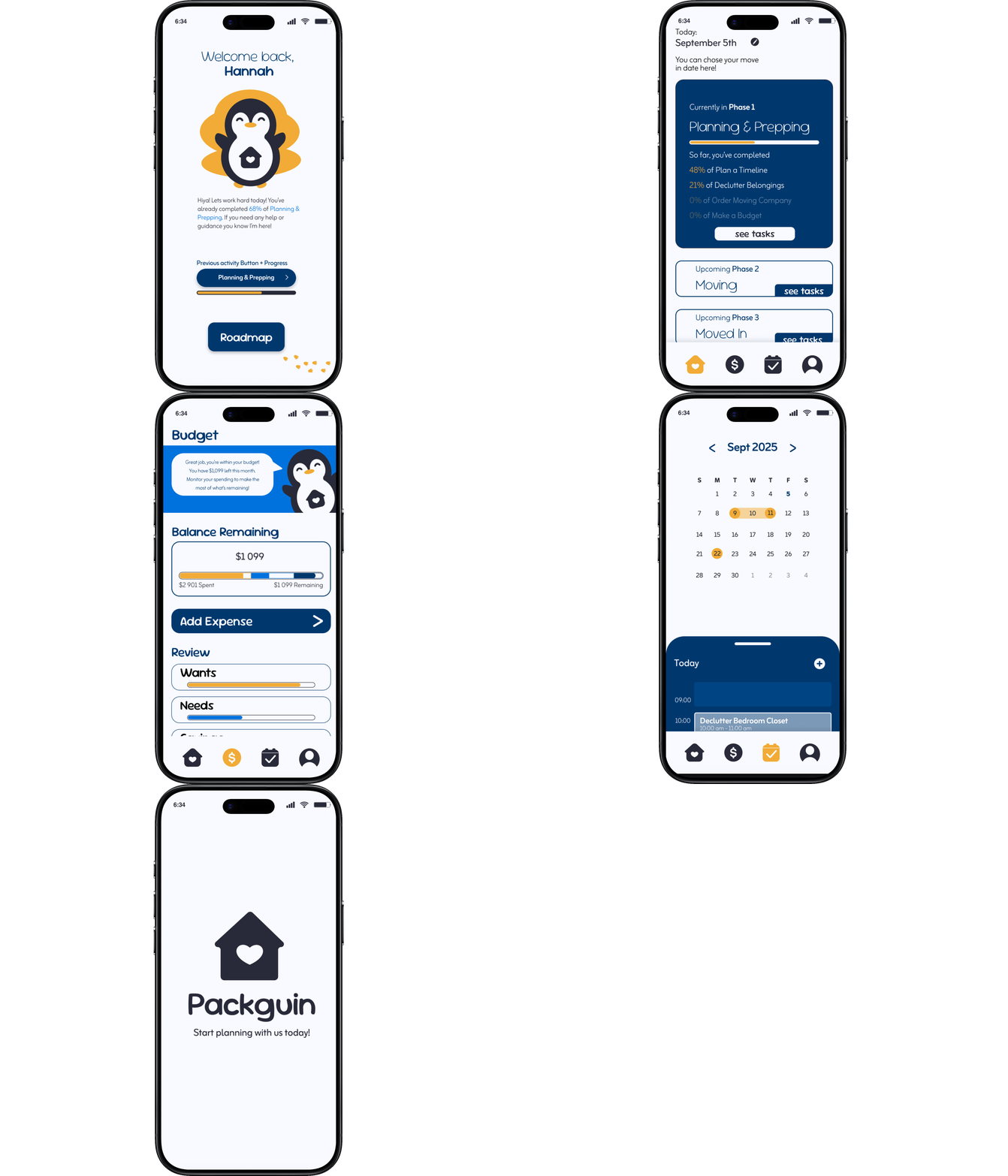
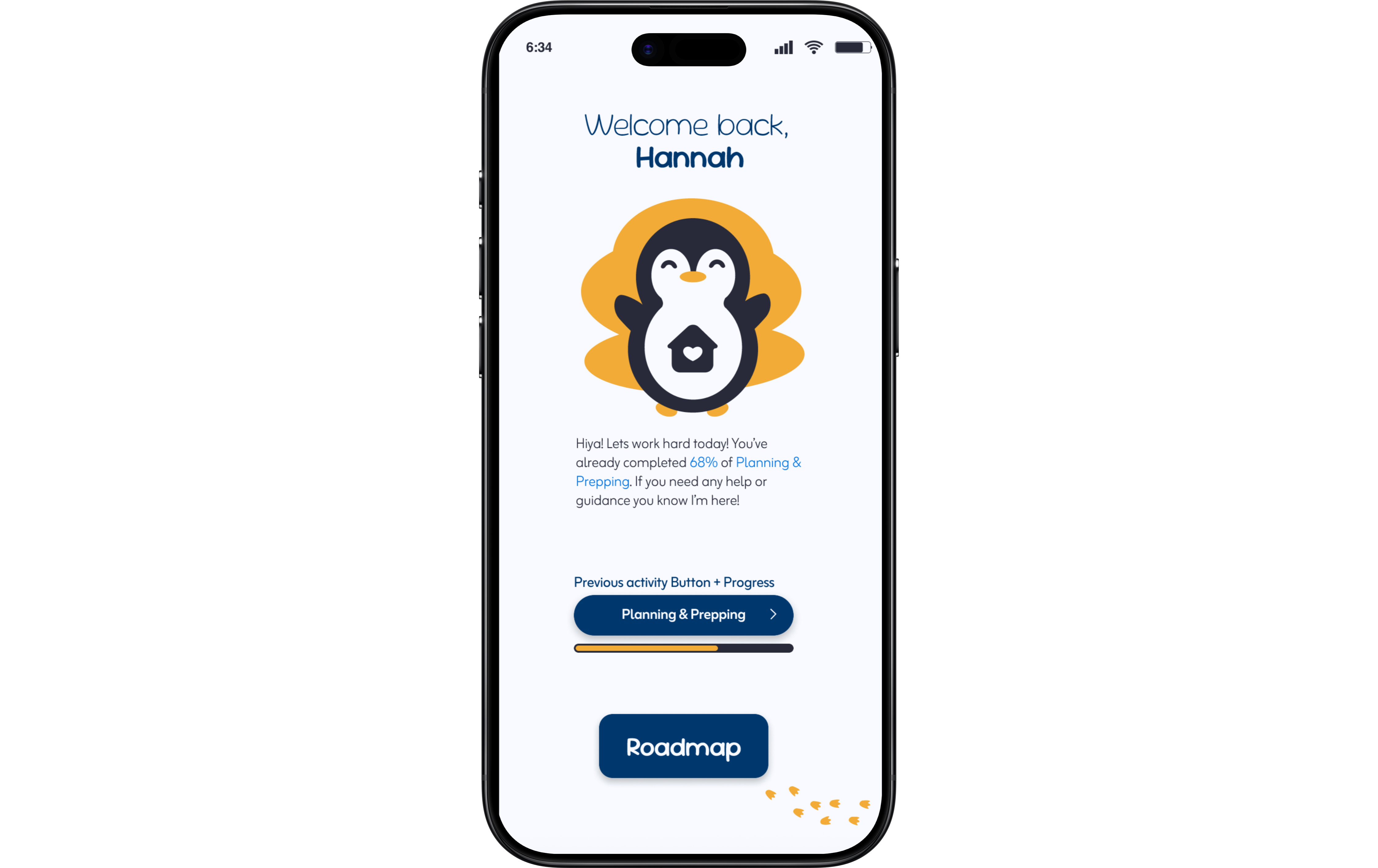
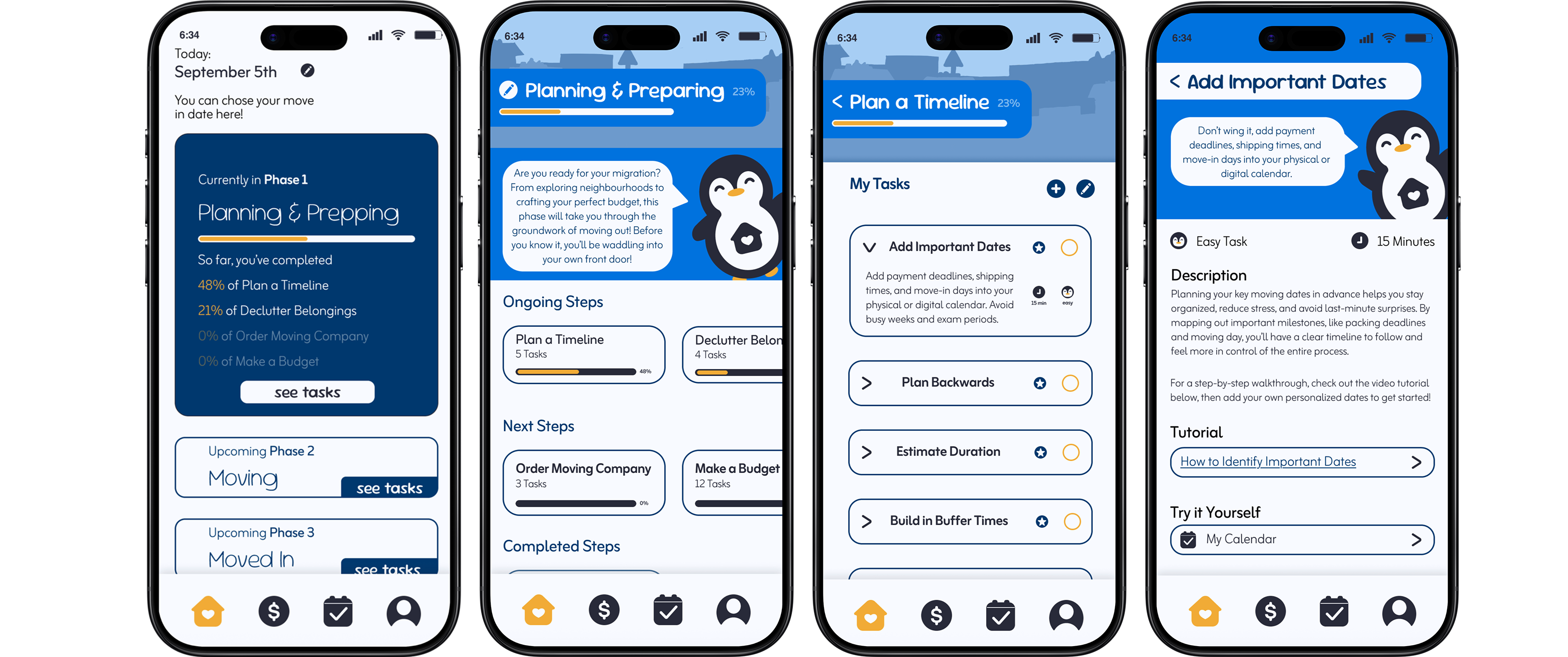
This landing page is designed to reduce overwhelm by immediately orienting users with their current progress and next steps. A personalized greeting, progress indicator, and a clear call-to-action guide users seamlessly back into their moving plan.
Roadmap
This landing page is designed to reduce overwhelm by immediately orienting users with their current progress and next steps. A personalized greeting, progress indicator, and a clear call-to-action guide users seamlessly back into their moving plan.
Budgeting
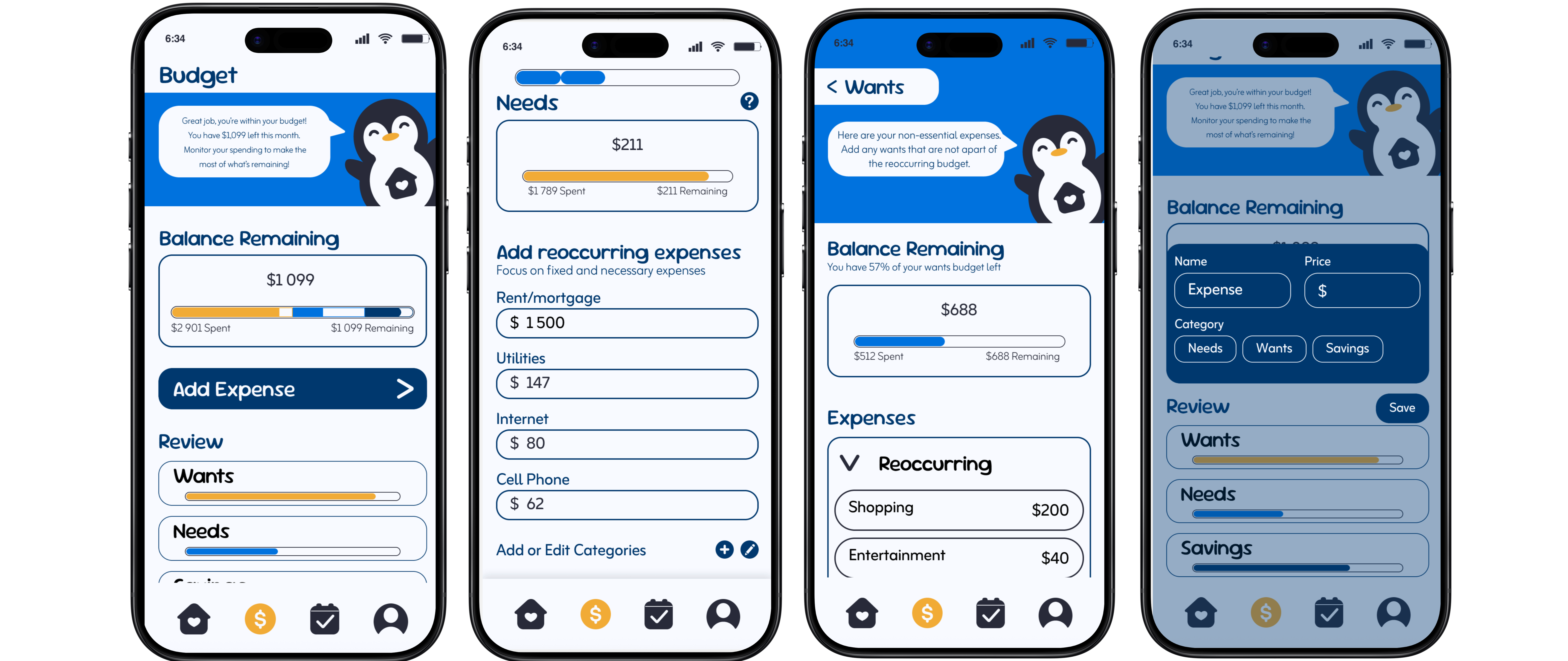
The budget page provides a cohesive overview of user’s finances by organizing expenses into needs, wants, and savings. It allows users to track spending, monitor their budget easily, and quickly add new expenses, supporting better financial awareness during the moving process.
Calendar
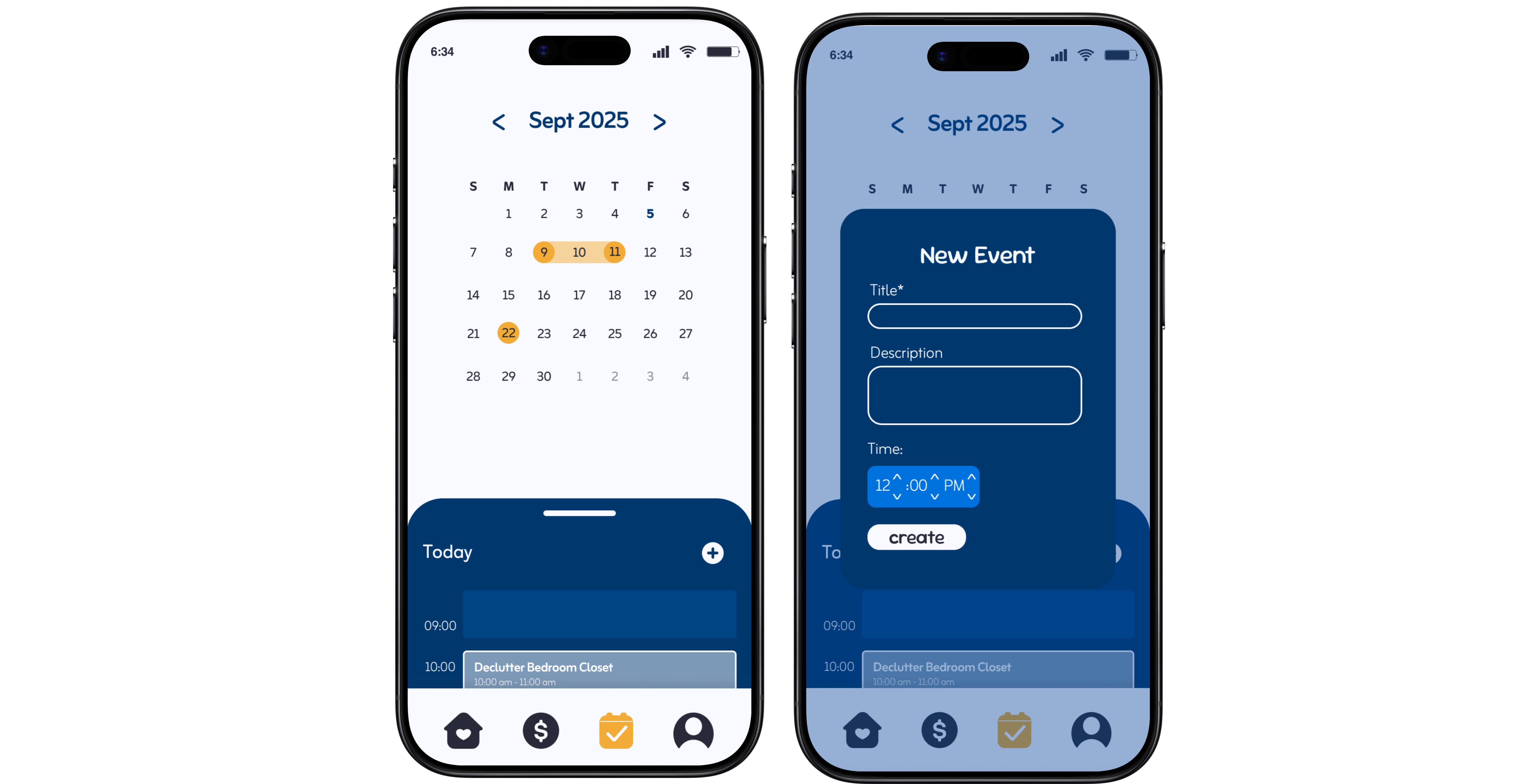
The calendar view translates tasks into a structured timeline, allowing users to see upcoming responsibilities at a glance. By connecting tasks to specific dates, it supports better planning, reduces missed deadlines, and reinforces a sense of control.
Profile
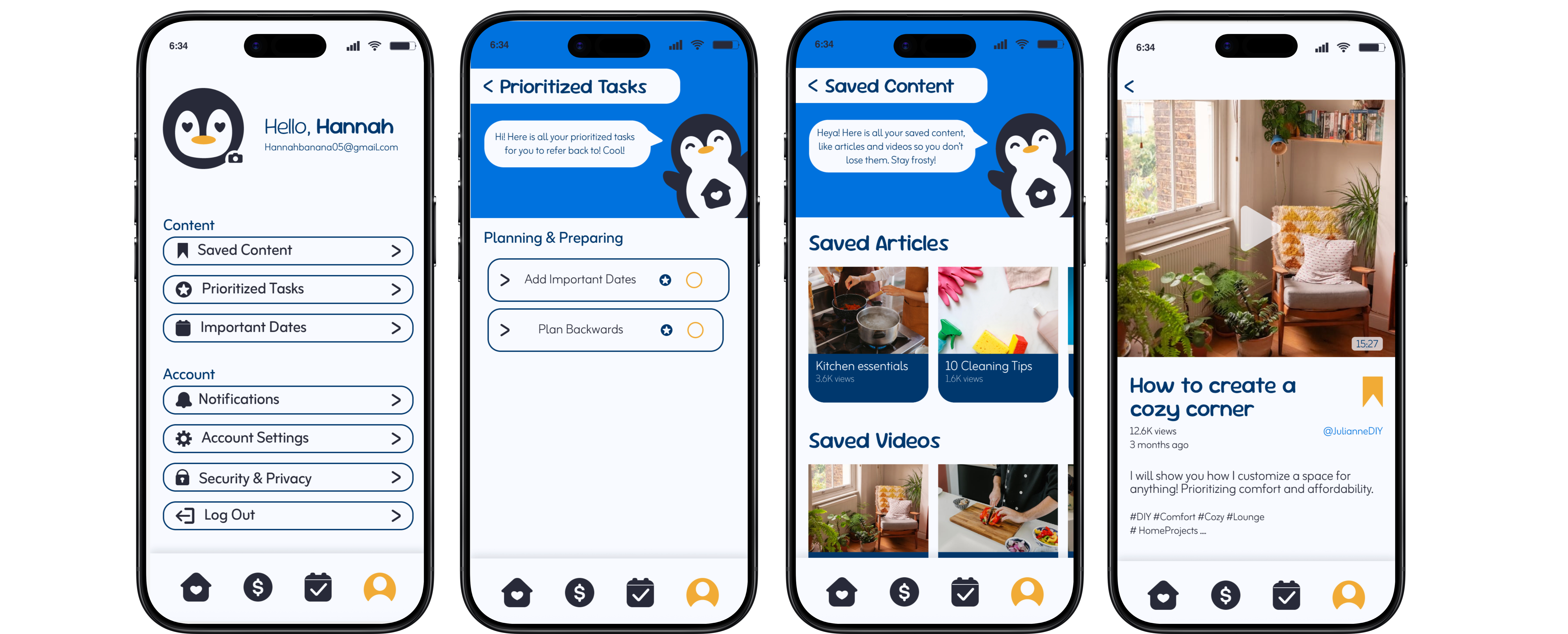
This page enhances personalization by giving users a dedicated space to manage saved resources and highlight priority tasks. It encourages ongoing engagement by making important content easily accessible and actionable.